Leads in Spreadsheets
Multiple files and manual updates can make it difficult to maintain one reliable view of your leads.
Manage leads, customers, sales activities and follow-ups from one centralized CRM platform designed around the way your business actually works.
ForceNexa develops custom CRM software for businesses that want better lead management, organized customer data, sales pipeline visibility and practical workflow automation.
Generic CRM software can be difficult to adapt when your business has a specific sales process, customer journey or team structure.
A custom CRM gives you the flexibility to manage leads, customers, activities, sales opportunities and reports according to your own workflow.
ForceNexa helps businesses plan and develop CRM solutions that connect their sales, customer service and operational processes in one centralized system.
Instead of forcing your team to change the way they work, we design CRM functionality around your actual business requirements.
As your business grows, managing customer information manually can make follow-ups, team coordination and sales reporting harder.
Multiple files and manual updates can make it difficult to maintain one reliable view of your leads.
Without activity tracking and reminders, important opportunities can remain unattended.
Customer communication can become fragmented across calls, emails, messaging apps and personal notes.
Without a clear sales pipeline, managers may struggle to understand opportunity status and team activity.
Build the CRM functionality your team actually needs, from lead capture and sales management to customer operations and reporting.
Capture, assign, organize and track leads throughout your sales process.
Give your sales team a structured way to manage opportunities and customer conversations.
Maintain customer profiles, contacts, activities and relevant business information in one place.
Automate repetitive steps and create workflows that support your team's daily activities.
Turn CRM data into useful reports for sales activity, lead performance and business decisions.
Connect your CRM with websites, APIs, communication platforms and other business applications.
Build a centralized CRM platform that gives your teams the right information, tools and workflows to manage customer relationships effectively.
Talk About Your CRM RequirementsCapture and track leads from different sources with clear ownership and status.
Schedule calls, tasks and follow-ups while maintaining activity history.
Track opportunities across customized sales stages and statuses.
Keep customer information, contacts and interactions organized.
Connect email, messaging workflows and other communication channels.
Monitor lead activity, sales performance and operational information.
A structured CRM workflow helps your team know what needs to happen at every stage of the customer journey.
Website enquiries and other lead sources enter the CRM and become trackable opportunities.
Leads are assigned to the appropriate salesperson or team for further action.
Calls, meetings, tasks and customer interactions are tracked against the opportunity.
Qualified opportunities move through your sales pipeline and become customers.
Your CRM does not have to work as an isolated application. It can connect with the systems and communication channels your business already uses.
The right CRM brings customer information, sales activities and team workflows together so your business can operate with better visibility.
Help your team respond to new enquiries with better lead visibility.
Understand what is happening with active leads and opportunities.
Keep ownership, activities and progress visible across your sales team.
Use CRM data and reports to understand sales activity and performance.
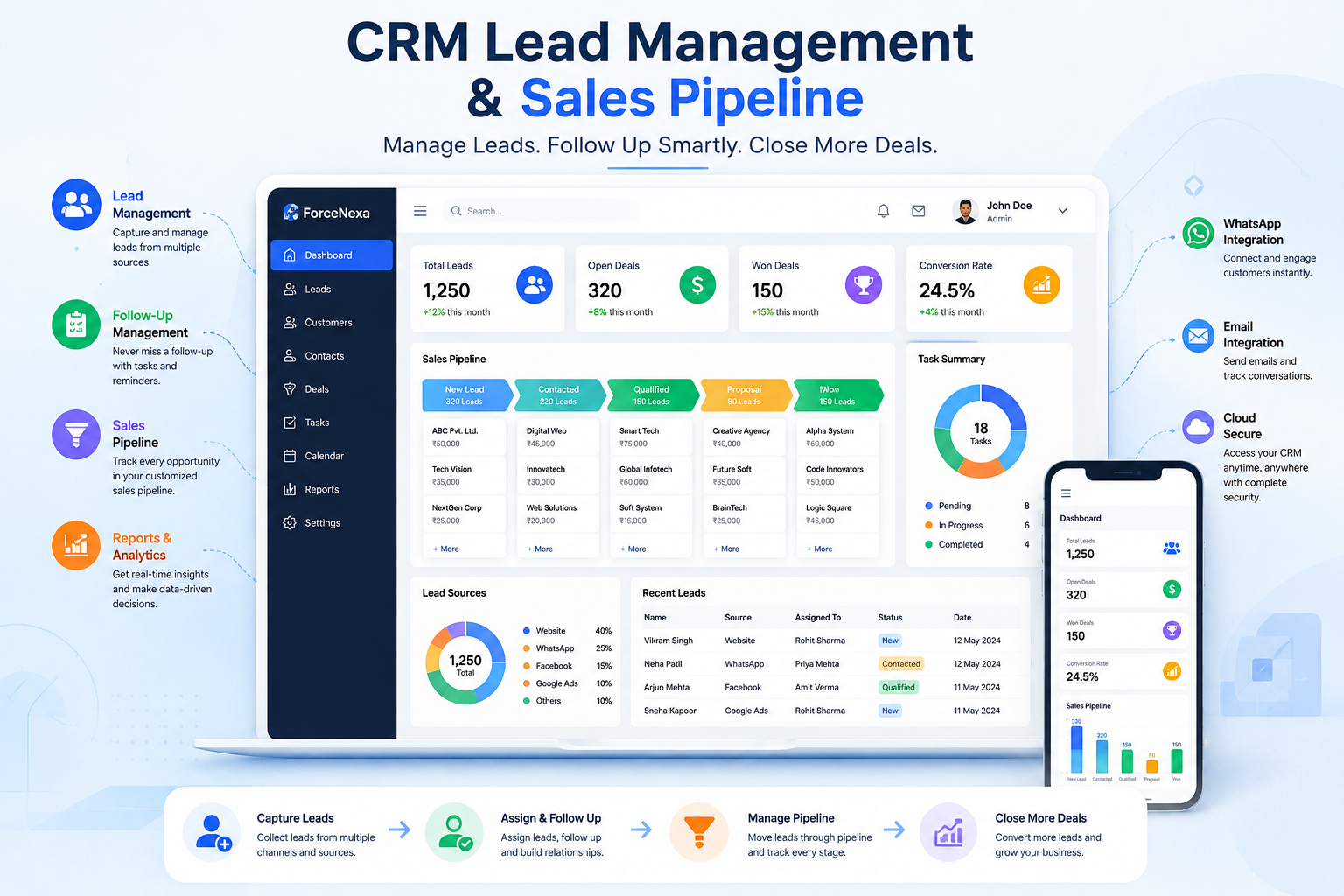
We focus on practical CRM software that fits your current workflow and gives you room to expand as your business requirements evolve.
CRM functionality is planned around your sales, customer and operational requirements.
Access control and application architecture can be designed around your business requirements.
Start with the CRM capabilities you need and expand the system as your business grows.
Connect your CRM with websites, APIs and other applications when your workflow requires it.
Access important CRM information across desktop, tablet and mobile-friendly interfaces.
Continue improving and maintaining your CRM as your business processes change.
A structured development process helps keep the CRM aligned with your actual business objectives.
Understand your business process, users, lead flow, customer journey and CRM requirements.
Define CRM modules, workflows, roles, integrations and the overall application structure.
Create a practical interface that makes everyday CRM tasks easier for your team.
Build CRM modules, business logic, integrations and required workflows.
Validate workflows, access control, data handling, integrations and user experience.
Continue with maintenance, improvements and additional CRM functionality when required.
Choose technologies and integrations according to your CRM requirements, existing systems and future plans.
Tell us how you currently manage leads, customers, sales and follow-ups. Let's discuss a CRM solution built around your workflow.